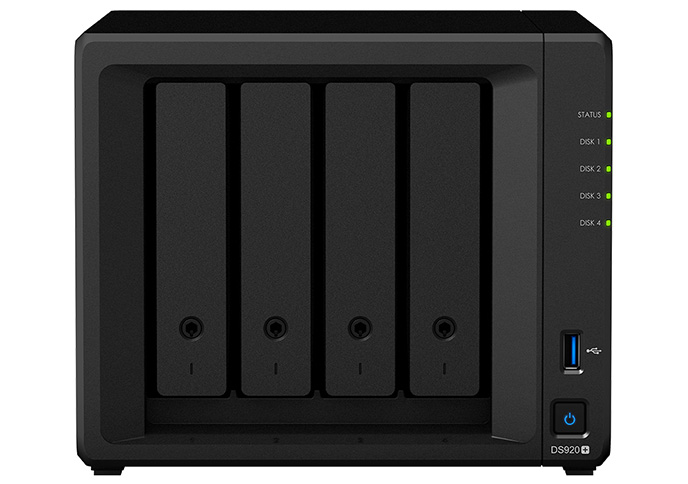
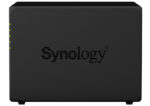
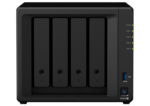
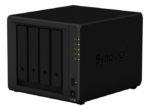
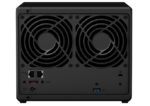
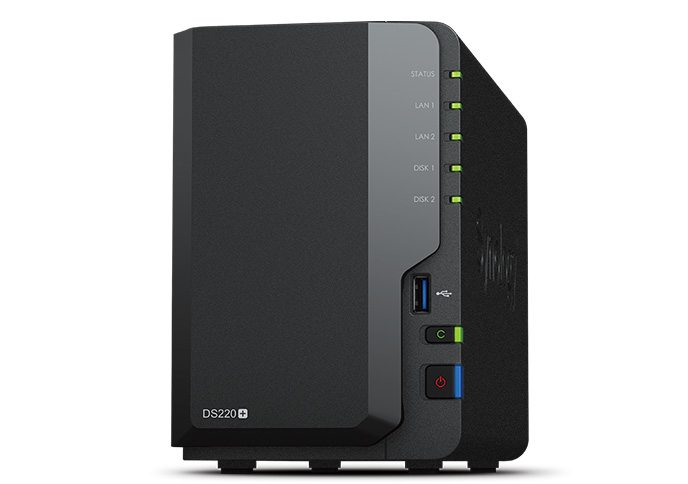
Synology DiskStation DS920+

Synology DS920+ is an ideal network-attached storage solution to streamline data management and productivity. Two built-in M.2 SSD slots and Synology SSD Cache technology allow you to boost system I/O and application performance.

Category: Tag:
Description

CPU

CPU Model

Intel Celeron J4125


CPU Quantity

1


CPU Architecture

64-bit


CPU Frequency

4-core 2.0 (base) / 2.7 (burst) GHz


Hardware Encryption Engine (AES-NI)

yes


Memory

System Memory

4 GB DDR4 non-ECC


Total Memory Slots

1


Maximum Memory Capacity

8 GB (4 GB + 4 GB)


Notes

  • Please select Synology memory modules for optimum compatibility and reliability. Synology will not provide complete product warranty or technical support if non-Synology memory modules are used for memory expansion.
  • Synology reserves the right to replace memory modules with the same or higher frequency based on supplier's product life cycle status. Rest assured that the compatibility and stability have been strictly verified with the same benchmark to ensure identical performance.
 

Storage

Drive Bays

4


Maximum Drive Bays with Expansion Unit

9 (DX517 x 1)


M.2 Drive Slots

2 (NVMe)


Compatible Drive Type* (See all supported drives)

  • 3.5" SATA HDD
  • 2.5" SATA HDD
  • 2.5" SATA SSD
  • M.2 2280 NVMe SSD
 

Hot Swappable Drive

yes


Notes

"Compatible drive type" indicates drives that have been tested to be compatible with Synology products. This term does not indicate the maximum connection speed of each drive bay.


External Ports

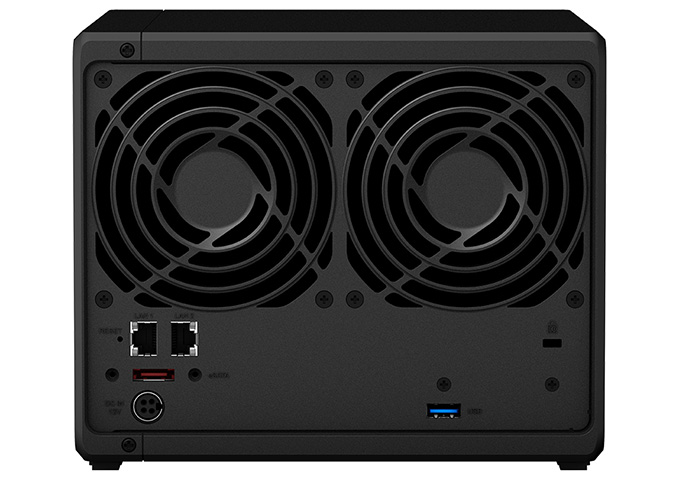
RJ-45 1GbE LAN Port

2 (with Link Aggregation / Failover support)


USB 3.2 Gen 1 Port*

2


eSATA Port

1


Notes

The USB 3.0 standard was renamed to USB 3.2 Gen 1 by the USB Implementers Forum (USB-IF) in 2019.


File System

Internal Drives

  • Btrfs
  • EXT4
 

External Drives

  • Btrfs
  • EXT4
  • EXT3
  • FAT
  • NTFS
  • HFS+
  • exFAT
 

Notes

exFAT Access can be installed for free from Package Center in DSM 7.0. In DSM 6.2 or earlier versions, exFAT Access needs to be purchased in Package Center.


Appearance

Size (Height x Width x Depth)

166 mm x 199 mm x 223 mm


Weight

2.24 kg


Others

System Fan

92 mm x 92 mm x 2 pcs


Fan Speed Mode

  • Full-Speed Mode
  • Cool Mode
  • Quiet Mode
 

Brightness Adjustable Front LED Indicators

yes


Power Recovery

yes


Noise Level*

19.8 dB(A)


Scheduled Power On / Off

yes


Wake on LAN / WAN

yes


Power Supply Unit / Adapter

100 W


AC Input Power Voltage

100 V to 240 V AC


Power Frequency

50/60 Hz, Single Phase


Power Consumption*

32.17 W (Access)
9.69 W (HDD Hibernation)


British Thermal Unit

109.84 BTU/hr (Access)
33.09 BTU/hr (HDD Hibernation)


Notes

  • Power consumption is measured when it is fully loaded with Western Digital 1TB WD10EFRX hard drive(s).
  • Noise Level Testing Environment: Fully loaded with Seagate 2TB ST2000VN000 hard drive(s) in the idle state. Two G.R.A.S. Type 40AE microphones, each set up 1 meter away from the Synology NAS at the front and rear. Background noise: 16.49-17.51 dB(A); Temperature: 24.25-25.75˚C; Humidity: 58.2-61.8%
 

Temperature

Operating Temperature

0°C to 40°C (32°F to 104°F)


Storage Temperature

-20°C to 60°C (-5°F to 140°F)


Relative Humidity

5% to 95% RH


DSM Specifications

Storage Management

Maximum Single Volume Size*

108 TB


Maximum Internal Volume Number

64


SSD Read / Write Cache (White Paper)


SSD TRIM


Supported RAID Type

  • Synology Hybrid RAID
  • Basic
  • JBOD
  • RAID 0
  • RAID 1
  • RAID 5
  • RAID 6
  • RAID 10
 

RAID Migration

  • Basic to RAID 1
  • Basic to RAID 5
  • RAID 1 to RAID 5
  • RAID 5 to RAID 6
 

Volume Expansion with Larger HDDs

  • Synology Hybrid RAID
  • RAID 1
  • RAID 5
  • RAID 6
  • RAID 10
 

Volume Expansion by Adding a HDD

  • Synology Hybrid RAID
  • JBOD
  • RAID 5
  • RAID 6 (with Expansion Unit)
 

Global Hot Spare Supported RAID Type

  • Synology Hybrid RAID
  • RAID 1
  • RAID 5
  • RAID 6 (with Expansion Unit)
  • RAID 10 (with Expansion Unit)
 

Notes

Each internal volume (may consist of multiple drives) is expandable up to 108TB.


File Services

File Protocol

SMB/AFP/NFS/FTP/WebDAV


Maximum Concurrent SMB/AFP/FTP Connections

1,000


Maximum Concurrent SMB/AFP/FTP Connections (with RAM expansion)

2,000


Windows Access Control List (ACL) Integration


NFS Kerberos Authentication


Notes

  • Regarding data concerning tests with RAM expansion, all memory slots are installed with the maximum capacity of supported RAM.
  • The testing standard was based on the maximum number of concurrent connections supported by this model. During the testing, 25% of the connections were used to transfer files concurrently. The transfer process guaranteed that the connections were not interrupted; the minimum transfer speed was not guaranteed.
 

Account & Shared Folder

Maximum Local User Accounts

2,048


Maximum Local Groups

256


Maximum Shared Folder

512


Maximum Shared Folder Sync Tasks

16


Hybrid Share

Maximum Hybrid Share Folders

4


Notes

For more details about the maximum number of Hybrid Share folders, check this article.


High Availability

Synology High Availability


Log Center

Syslog Events per Second

800


Virtualization

VMware vSphere with VAAI


Windows Server 2016


Windows Server 2019


Citrix Ready


OpenStack


General Specifications

Networking Protocols

SMB1 (CIFS), SMB2, SMB3, NFSv3, NFSv4, NFSv4.1, NFS Kerberized sessions, iSCSI, HTTP, HTTPs, FTP, SNMP, LDAP, CalDAV


Supported Browsers

  • Google Chrome
  • Firefox
  • Microsoft Edge
  • Safari
 

Supported Language

English, Deutsch, Français, Italiano, Español, Dansk, Norsk, Svenska, Nederlands, Русский, Polski, Magyar, Português do Brasil, Português Europeu, Türkçe, Český, ภาษาไทย, 日本語, 한국어, 繁體中文, 体中文


Notes

For an updated list of supported browser versions, check the DSM Technical Specifications.


Additional information
Brand

About Synology

Data is at the heart of every industry's transformation, and this is where Synology has a profoundly important role to play. At its very core, our mission is to manage and protect the world’s data. Synology uniquely enables every business to manage, secure, and protect their data wherever access is needed from flash to disk to multiple cloud architectures – at the scale needed to accommodate the exponential data growth of the digital world.

Shipping & Delivery